Stop just chatting with AI.
Put AI to work in your business, not just in a chat window.
A chat window is the first rung, not the finish line. We help small businesses set AI up properly, connect it to their email and files with the right permissions, and hand it real tasks while a person approves what matters. Booked by the session.
“The biggest predictor of bottom-line impact from AI isn’t the tool. It’s redesigning the workflow.”
Summarizing McKinsey, The State of AI 2025Goldman Sachs 10,000 Small Businesses Voices survey, Feb 2026 (program-alumni sample) · Intuit QuickBooks AI Impact Report 2026.
The AI ladder
Six levels between a chat box and a business that runs on AI.
Each level is a real set of features in the tools you already pay for, or could. Most of the value sits above the second rung.
- Where most businesses areLevel 0
The tab
A personal account in a browser tab. Retype the background, paste the email in, copy the draft out.
Chat only. Company data in personal accounts.
- Level 1
Set up properly
Your data kept out of training, the desktop app on a hotkey, and instructions that already know your company.
Data controls · desktop apps · custom instructions · memory
- Level 2
Reusable know-how
A project for each recurring job, with your templates loaded, shared with the team.
Projects · Skills · custom GPTs · Gems
- Level 3
Connected
AI reads your email, files and CRM directly, with read-only access first.
Connectors · apps · MCP · per-tool permissions
- Level 4
Acting, with approval
AI files, updates and fills in forms, and asks before anything that sends, pays or deletes.
ChatGPT Work · Claude Cowork · Claude Code · approval modes
- Level 5
Automated
Reports, briefings and follow-ups run on a schedule, each with its own narrow permissions and a log someone reads.
Scheduled tasks · triggers · workspace agents · routines
Level 6: AI built into your own systems. When a task needs its own application, that’s our Custom Software service.Feature names current as of September 2026. We review this page every quarter.
Quick questions
Think you’re using AI well? Try these.
Six of the questions in our AI Check. Each “no” is a gap, and each gap has a specific fix.
Do you paste the same background into every chat?
“We’re a roofing company in Covington…” is context your tools should already hold.
Fix: custom instructions, memory, or a project per job.
Desktop app, or a browser tab?
Working with local files, a built-in browser and one-key access are desktop features.
Fix: the ChatGPT or Claude desktop app, pinned to a hotkey.
Is your AI connected to your email and files?
If you copy and paste between them, you’re doing the connector’s job.
Fix: Gmail, Outlook, Drive or SharePoint connectors, read-only first.
Is model training turned off on your account?
Personal ChatGPT plans can train on your chats unless you switch it off.
Fix: a business plan, or Data Controls → training off.
Has AI ever done a task, not just drafted one?
Filing, updating and filling in forms is where the hours are.
Fix: an agent mode with approvals switched on.
Does anything run without you asking?
If nothing does, you haven’t reached the automation level yet.
Fix: a scheduled task with narrow permissions and a log.
Sessions
Book the help you need, when you need it.
Straightforward prices, paid when you book. Every session is hands-on, with your real tools and tasks.
- Tools and features current as of September 2026
- A written summary within 48 hours
- Session fees credited toward The Build if you go ahead within 30 days
- Plan settings and privacy checked every time
AI we’ve already put to work
Real AI, with a person in charge.
Two tools we built and run for clients, and four things a working session can set up for your team.
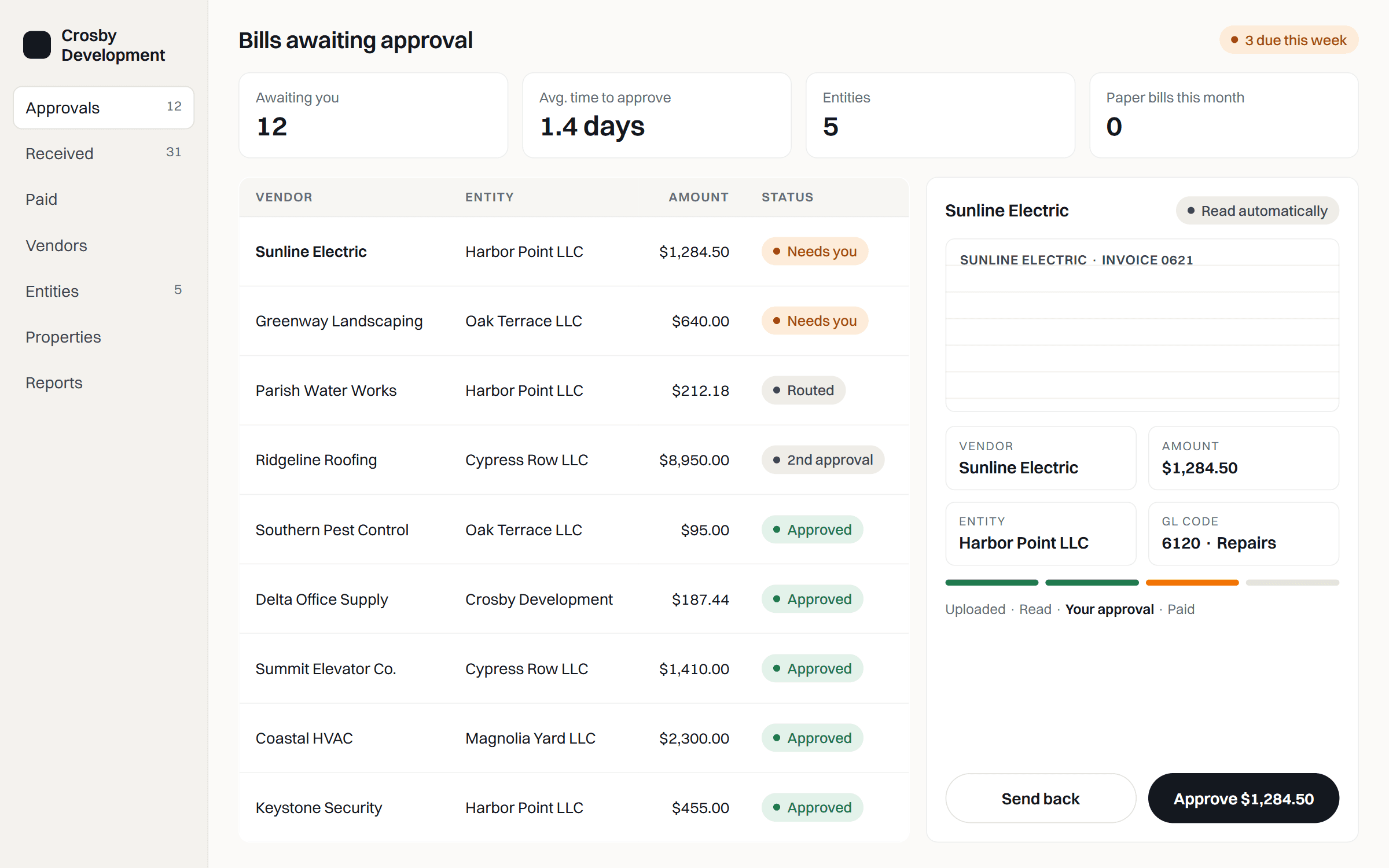
Bills that read themselves
Built for Crosby Development
Vendor, amount, entity and GL code pulled from every PDF invoice, then routed for approval.
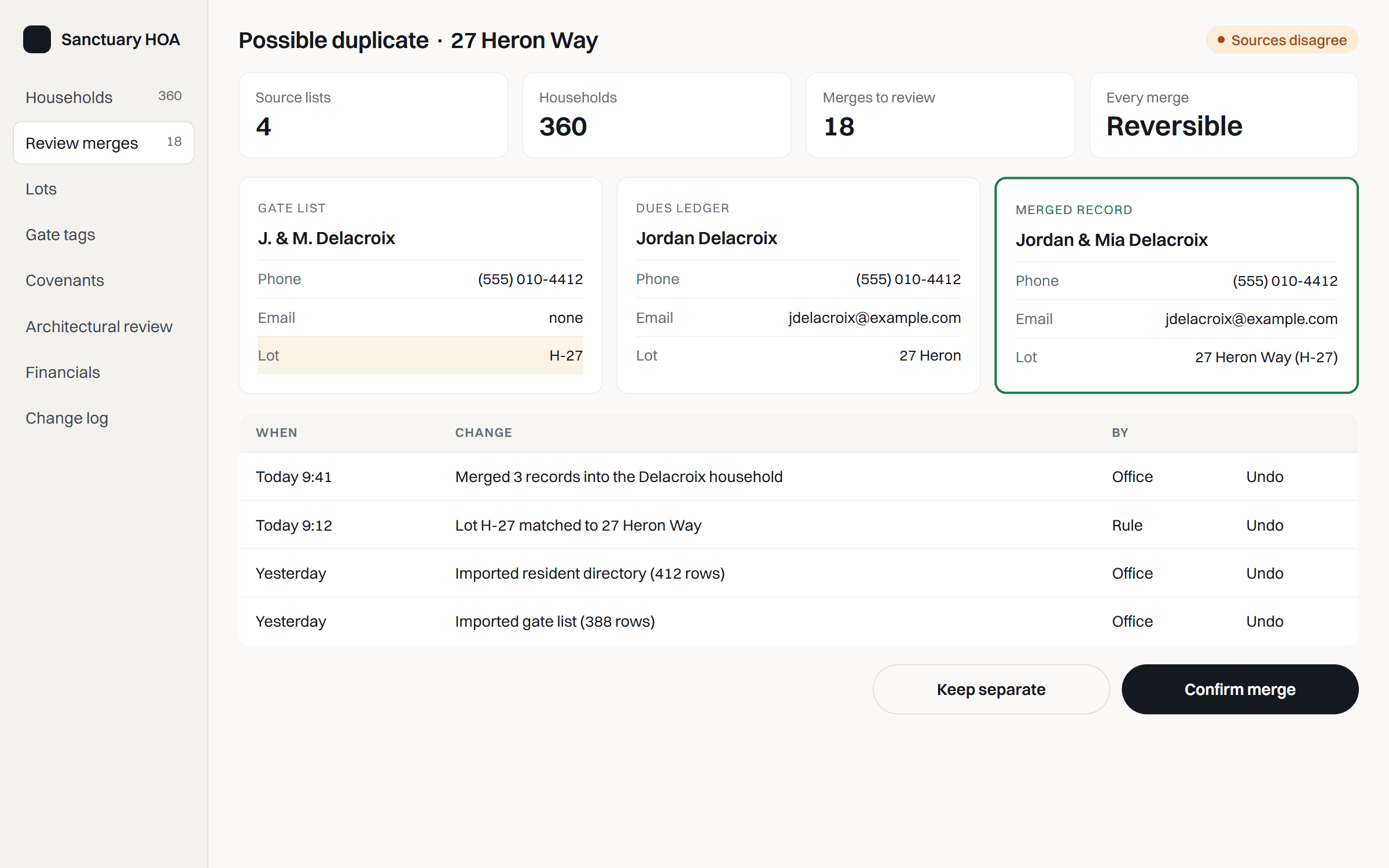
Cleaning up messy records
Built for Sanctuary HOA
Likely duplicates found across four lists, confirmed by the office.
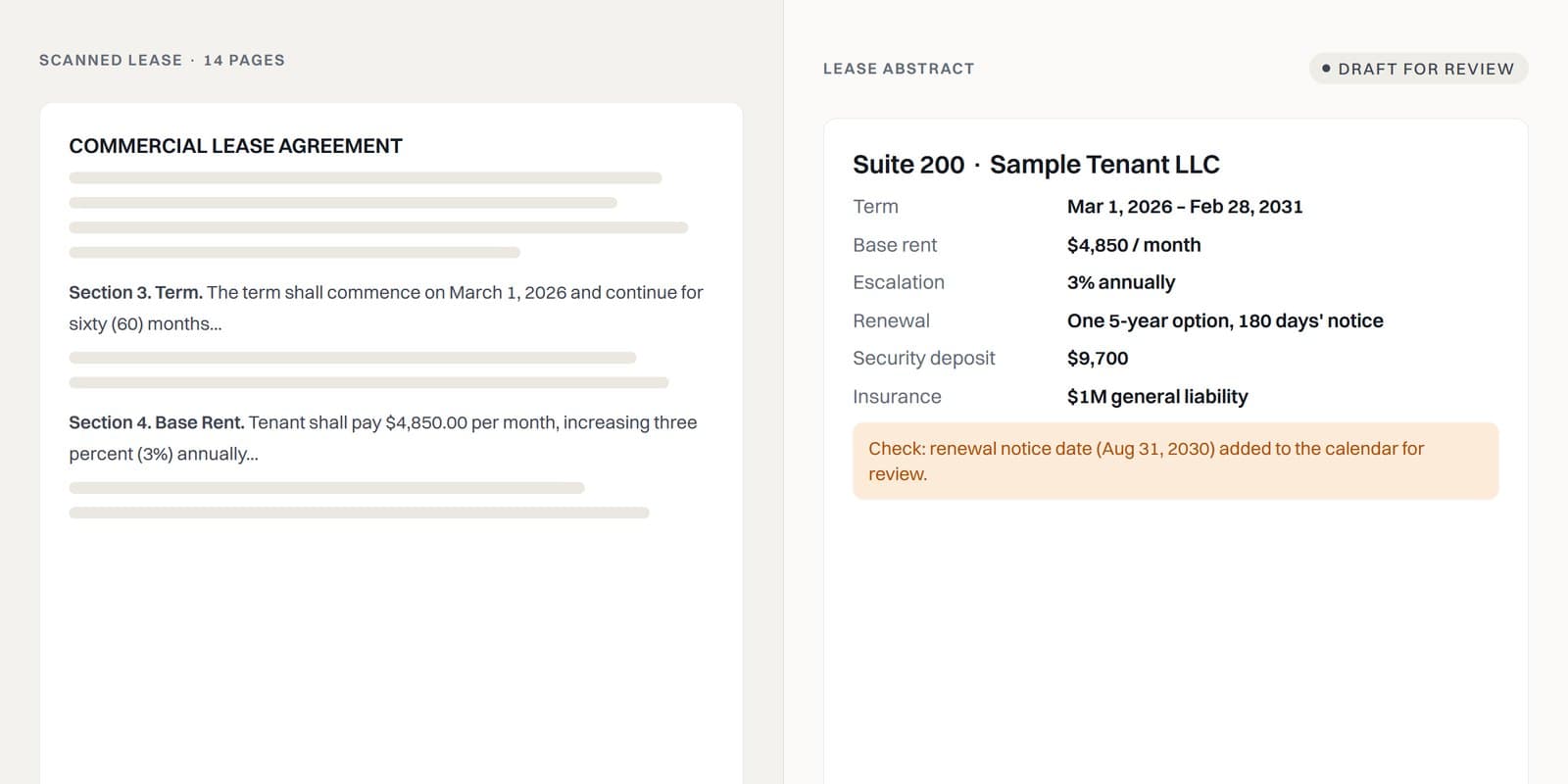
Lease abstracts in minutes
What a working session can set up
A property manager’s scanned leases summarized into rent, term and renewal dates, for a person to check.
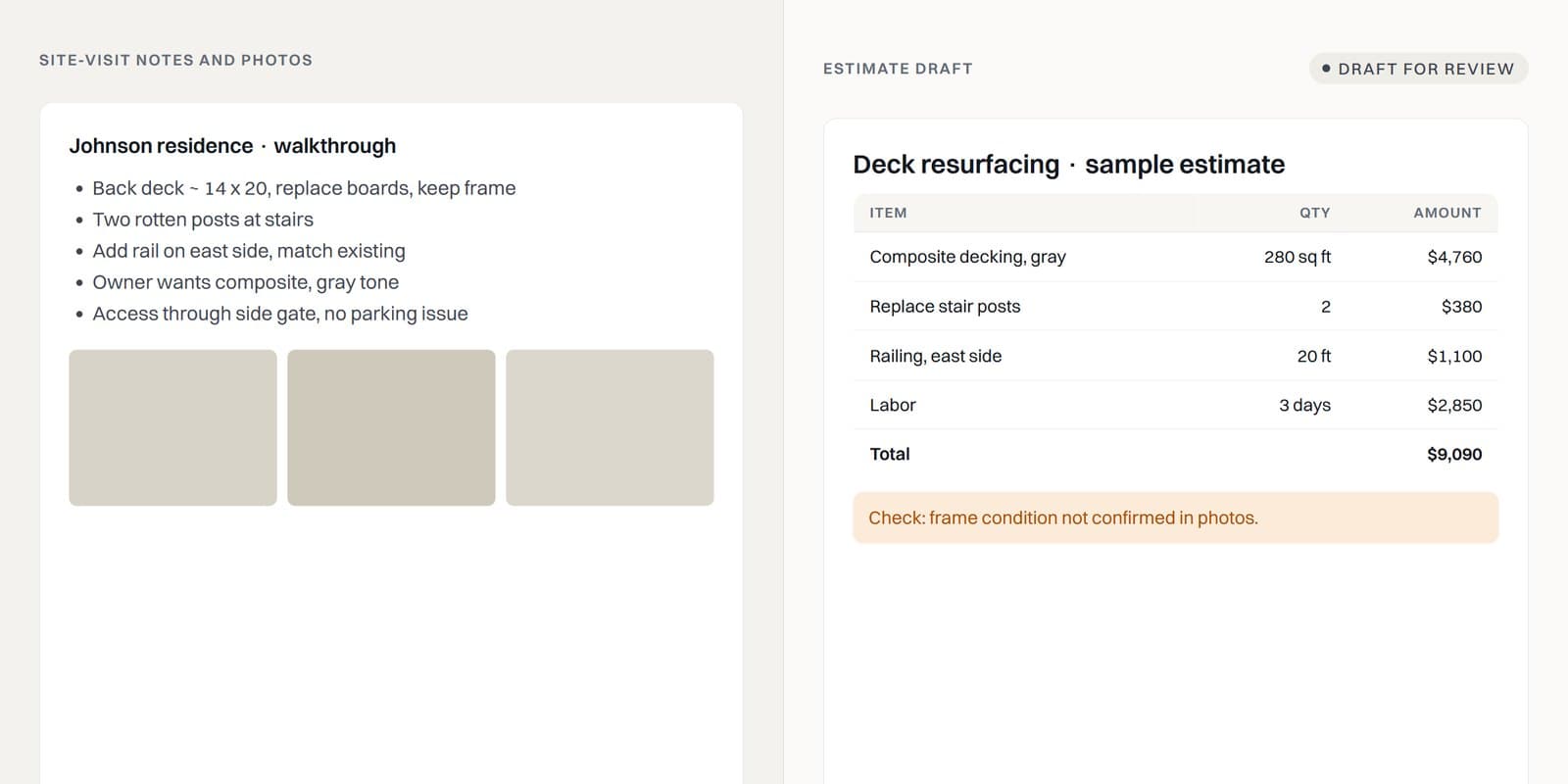
Estimate drafts from site notes
What a working session can set up
A contractor’s notes and photos turned into a first-draft estimate, flagged where something needs checking.
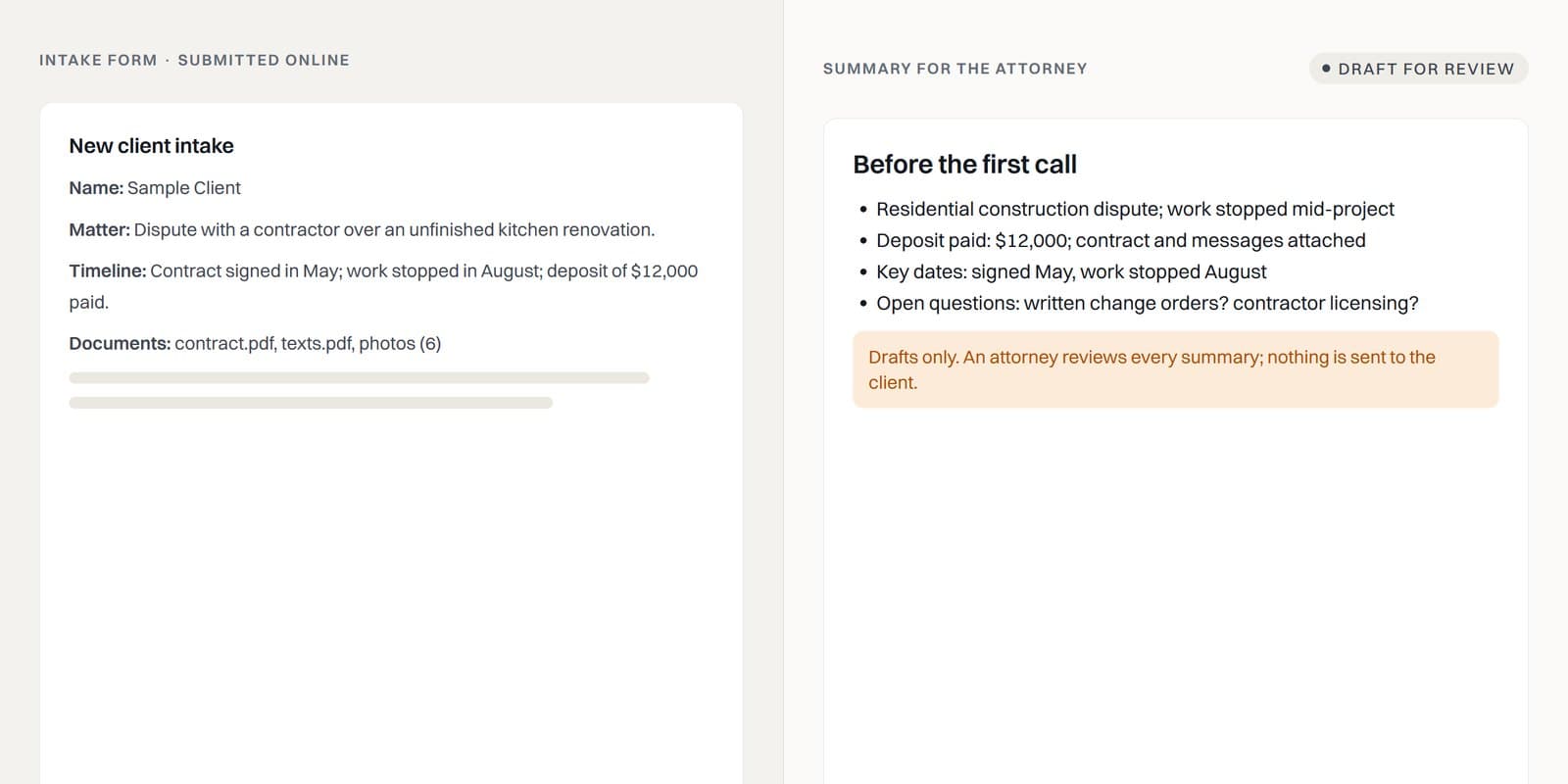
Intake summaries before the first call
What a working session can set up
A law office’s intake forms summarized for the attorney. Drafts only; a person reviews every one.
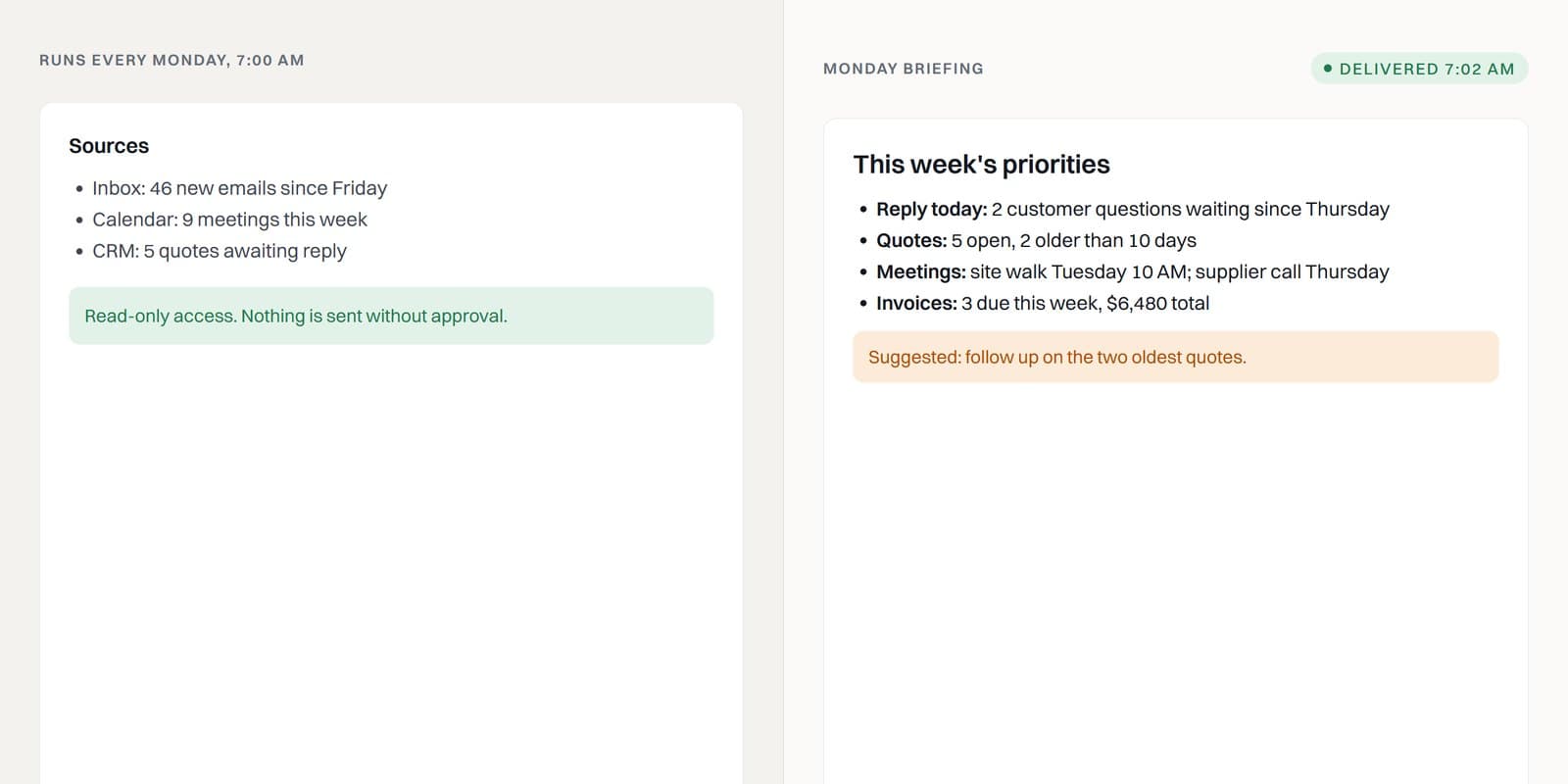
A Monday briefing
What a working session can set up
Inbox, calendar and open quotes summarized into the week’s priorities, on a schedule, with read-only access.
Our approach
Permissions first. Then automation.
We will
- Start with read-only access and add write access one tool at a time
- Keep approvals on for anything that sends, pays, deletes or shares
- Use role accounts, not the owner’s master login
- Leave you a log of what every automation does
We won’t
- Connect banking, payroll or password managers to an agent
- Switch on “full access” or auto-approve on a real workstation
- Put client-confidential data on a personal plan
- Sell you a strategy deck and leave
Let’s find the first AI setup that would actually help.
Supercharge your operations with CrumbLabz.
One of the founders replies within one business day.